Tutorial 3: Interventions
This tutorial adds two interventions that represent a standard malaria control package: treatment-seeking care and insecticide-treated nets (ITNs). It introduces the campaign file and shows how to compare scenarios with and without interventions.
File: tutorials/tutorial_3_interventions.py
The campaign file
The campaign file defines what interventions to distribute, to whom, and when. In emodpy-malaria
a build_campaign() function constructs this file and is passed to EMODTask via
campaign_builder=:
Interventions
build_campaign() builds the campaign using the class-based intervention API. Each
intervention is instantiated as an object and distributed via add_intervention_triggered()
or add_intervention_scheduled():
def build_campaign(campaign):
    campaign.set_schema(manifest.schema_path)

    if deploy_treatment:
        clinical_drug = AntimalarialDrug(campaign, drug_type="Artemether")
        add_intervention_triggered(
            campaign,
            intervention_list=[clinical_drug],
            triggers_list=["NewClinicalCase"],
            start_day=60,
            target_demographics_config=TargetDemographicsConfig(demographic_coverage=0.7)
        )

        severe_drug = [AntimalarialDrug(campaign, drug_type="Chloroquine"),
                       AntimalarialDrug(campaign, drug_type="Lumefantrine")]
        add_intervention_triggered(
            campaign,
            intervention_list=severe_drug,
            triggers_list=["NewSevereCase"],
            start_day=40,
            target_demographics_config=TargetDemographicsConfig(demographic_coverage=0.9,
                                                                target_age_max=40)
        )

    if deploy_itn:
        bednet = SimpleBednet(
            campaign,
            repelling_config=Exponential(initial_effect=0.3, decay_time_constant=400),
            blocking_config=Exponential(initial_effect=0.9, decay_time_constant=200),
            killing_config=Exponential(initial_effect=0.1, decay_time_constant=300),
        )
        add_intervention_scheduled(
            campaign,
            intervention_list=[bednet],
            start_day=5,
            repetition_config=RepetitionConfig(infinite_repetitions=True,
                                               timesteps_between_repetitions=361),
            target_demographics_config=TargetDemographicsConfig(demographic_coverage=0.5)
        )

    return campaign
Treatment seeking distributes AntimalarialDrug directly in response to clinical events.
The NewClinicalCase trigger fires when a person develops clinical malaria symptoms — the
drug is given to 70% of cases. A second trigger handles NewSevereCase with a two-drug
combination at 90% coverage for people 40 years and younger.
ITN distribution uses SimpleBednet with waning effect configurations for repelling,
blocking, and killing. Exponential waning effects decay over time — the decay_rate
controls how quickly effectiveness drops. TargetDemographicsConfig sets the coverage to 50%.
Comparing scenarios
Two boolean flags at the top of the script control which interventions are active:
Toggle these and re-run to compare each intervention separately against the no-intervention baseline. Each combination writes to its own output directory:
deploy_treatment |
deploy_itn |
Output directory |
|---|---|---|
| True | True | tutorial_3_results |
| True | False | tutorial_3_results_ts |
| False | True | tutorial_3_results_itn |
| False | False | tutorial_3_results_no_interventions |
Plotting with a baseline reference
plot_results() looks for tutorial_2_results/ from the previous tutorial and, if found,
uses it as the no-intervention reference (plotted in red) so the intervention impact is
visible directly. If you are starting here without having run Tutorial 2, the plot will still
work — the reference line simply will not appear.
reference = None
if os.path.exists("tutorial_2_results"):
    t2_files = get_filenames(dir_or_filename="tutorial_2_results",
                             file_prefix="InsetChart", file_extension="json")
    if t2_files:
        reference = t2_files[0]

plot_inset_chart(dir_name=output_path,
                 reference=reference,
                 title="Tutorial 3 - InsetChart",
                 output=output_path)
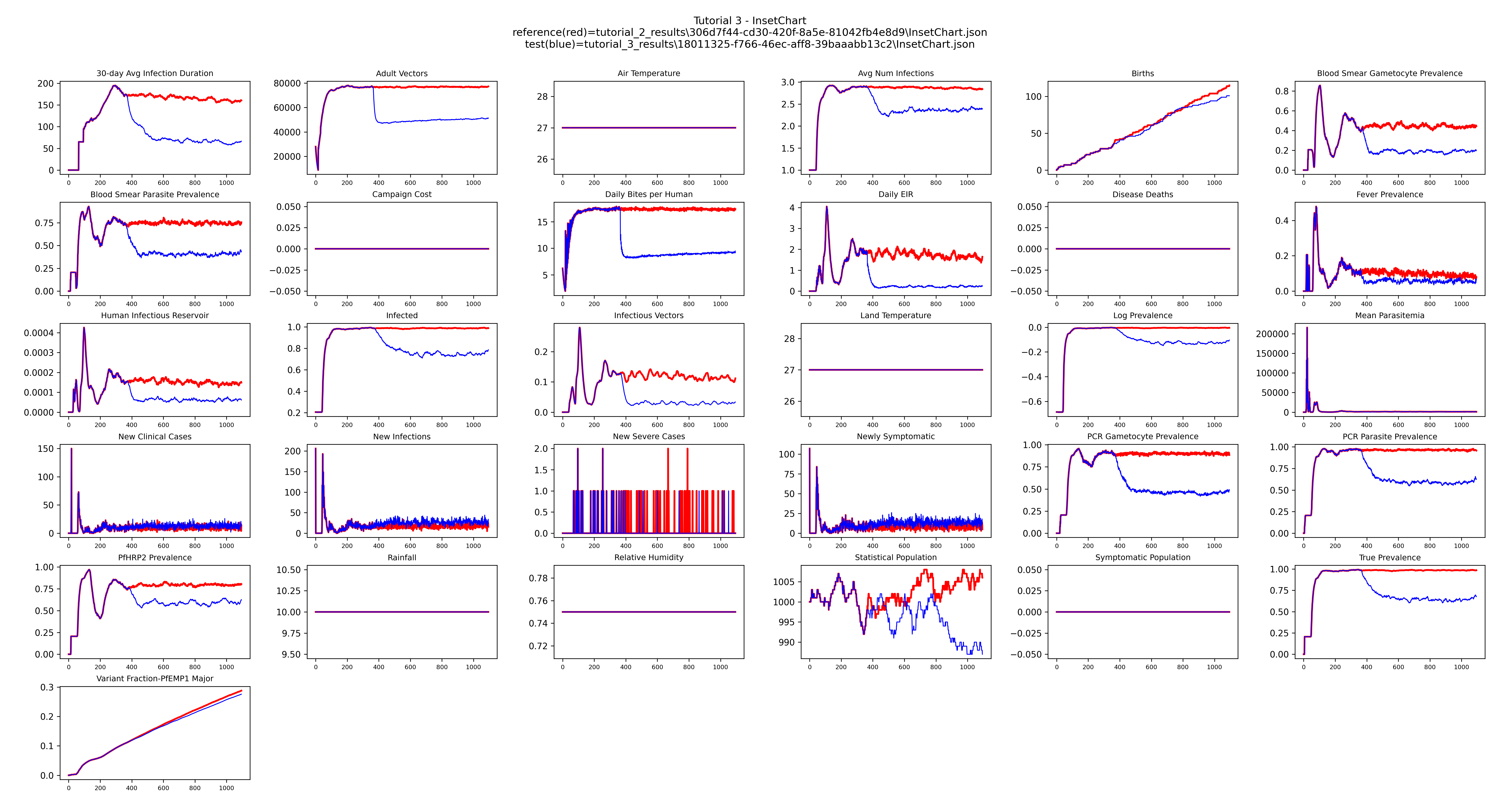
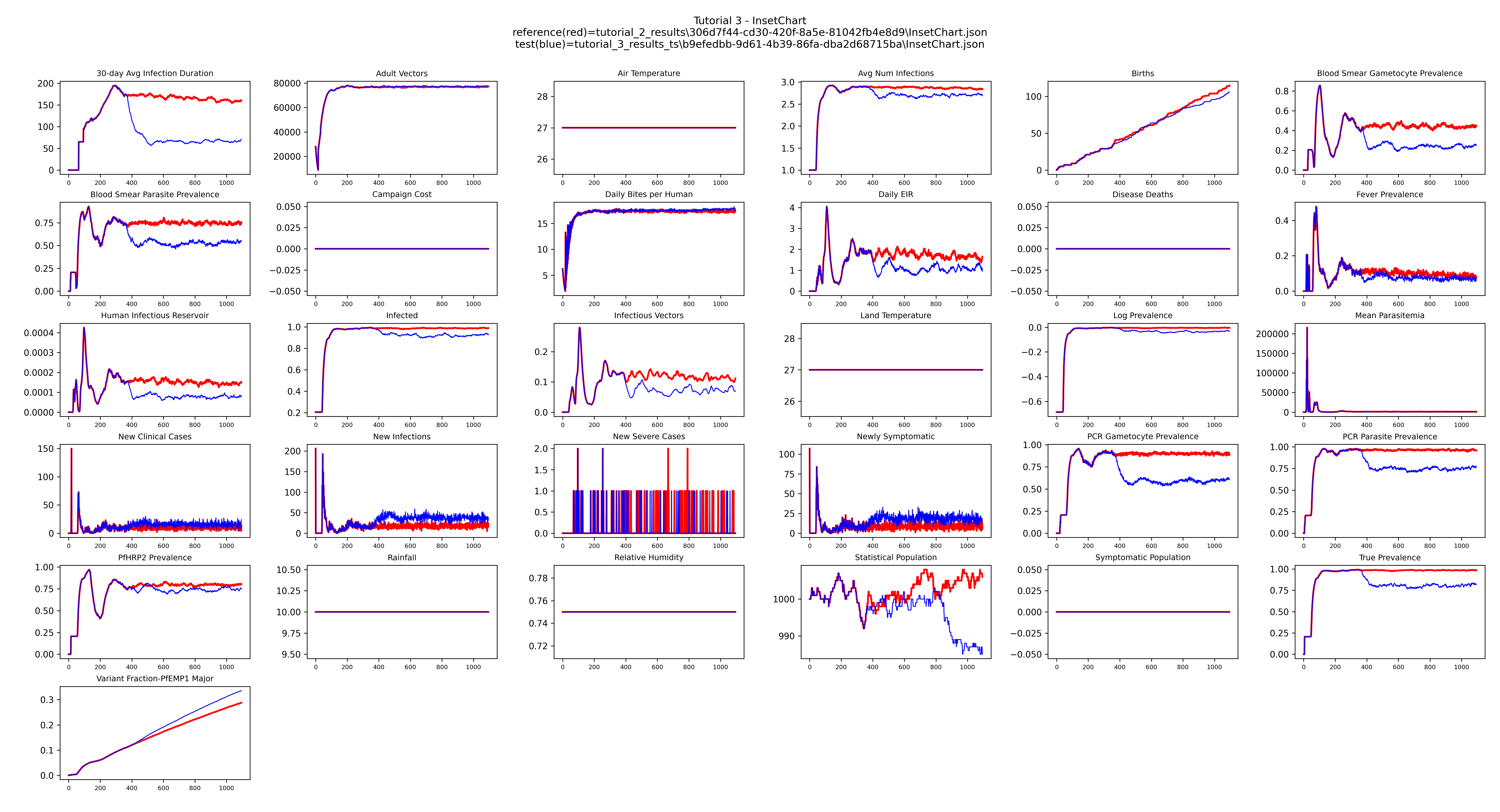
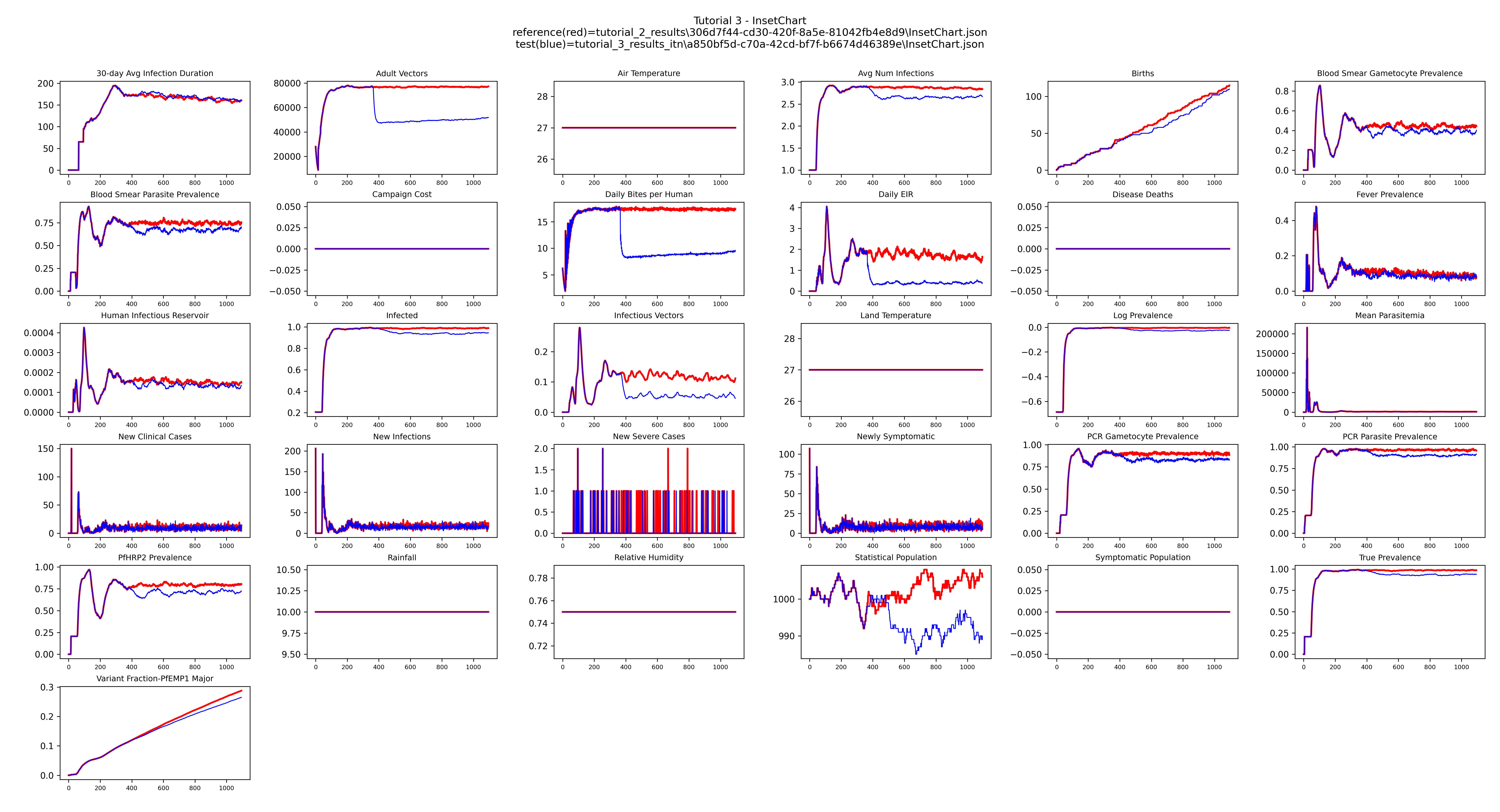
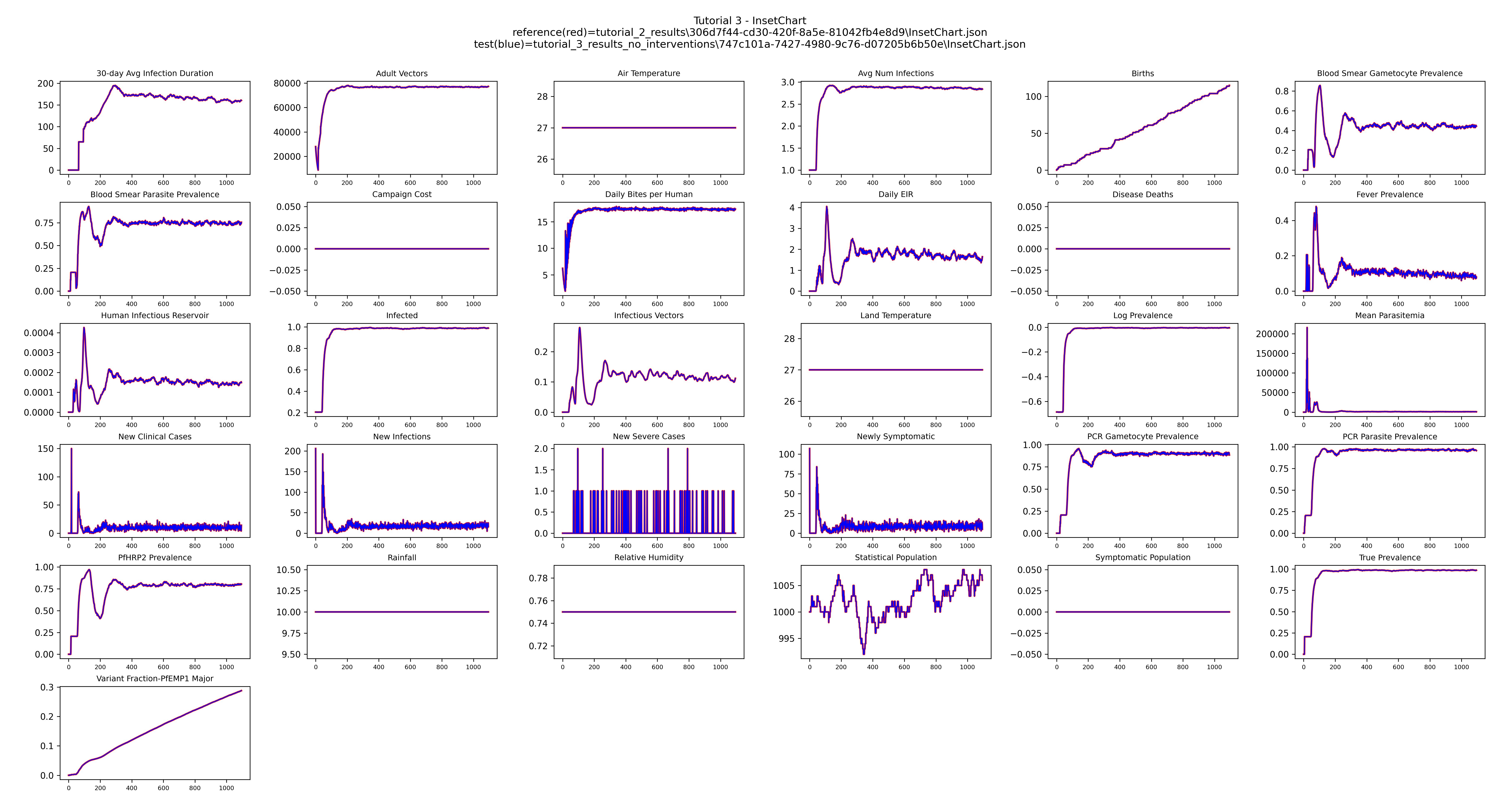
Treatment seeking reduces the fraction of people infected; ITNs reduce the daily biting rate and vector population. Running each combination separately lets you see each effect in isolation.
Example output
Both interventions (deploy_treatment = True, deploy_itn = True)
Treatment seeking only (deploy_treatment = True, deploy_itn = False)
ITN only (deploy_treatment = False, deploy_itn = True)
No interventions (deploy_treatment = False, deploy_itn = False)
Next
Tutorial 4 introduces seasonal transmission by replacing the constant larval habitat with a LINEAR_SPLINE.